paxstatsInvite-only beta
Every flight you've ever taken, in one logbook
Scan the boarding pass. paxstats fills in the rest and turns it into maps, charts, badges and a year in review.

Logging
Seven ways in. Pick whichever is in your hand.
Scan the boarding pass
Live camera, decodes the barcode the instant it sees it. Connecting itinerary? One draft per leg.
Photograph the stub
For the small stub with no scannable code. Reads the pass as an image, PDFs too.
Share it from Apple Wallet
Share the pass into paxstats on iOS. It's waiting for you when you land.
Forward the email
Send the airline's confirmation to log@paxstats.app. No app to open.
Type the flight number
AF1234 plus a date fills route, times, aircraft, tail number and the real flown track.
By hand, in six steps
A wizard on a phone, one form on a laptop. Only the date and the two airports are required.
Import your whole history
Flighty, FlightDiary, OpenFlights, App in the Air, JetLog, TripIt — uploaded as-is.
Nothing is logged behind your back
Scans, forwards and shared passes all wait in Notifications as a draft you review.
How each of the seven works, in detail
- Scan
- Decodes the boarding-pass barcode live and closes the instant it recognises one — no shutter, no upload. A multi-leg barcode becomes one draft per flight, not just the first.
- Photo
- For the stub with no readable code: a “take a photo instead” fallback appears a few seconds into a live scan, and reads the pass as an image. PDF passes too.
- Apple Wallet
- Share a .pkpass from Wallet into paxstats on iOS. Parsed on arrival and staged for review, multi-leg aware.
- Forwarded email
- Forward the airline’s email to log@paxstats.app from the address on your account. The message’s authentication is checked and the sender matched to you; an address it doesn’t recognise gets a reply explaining why nothing happened.
- Flight number
- A number plus a date fills route, scheduled and actual times, duration, aircraft type and registration, and pulls the real flown track so the map draws the actual path rather than a great-circle line.
- By hand
- Six steps on a phone (Flight, Route, Times, Aircraft, Seat & trip, Photos) with airport, airline and aircraft-type search in each field; a failed save jumps to the earliest step that needs attention. One long form on a laptop.
- Import
- The format is detected from the file’s own headers, airports/airlines/aircraft are matched against the reference tables, and a row-by-row warning list is shown before anything is written.
- Review, always
- Nothing from a scan, a forward or a shared pass is inserted directly — each lands in Notifications as a pending flight with Review and Dismiss.
Your logbook
One row per flight. Everything else draws itself.
The flight. Route, times, duration and distance, plus aircraft type, tail number, seat, cabin, lounges, photos and who flew with you.
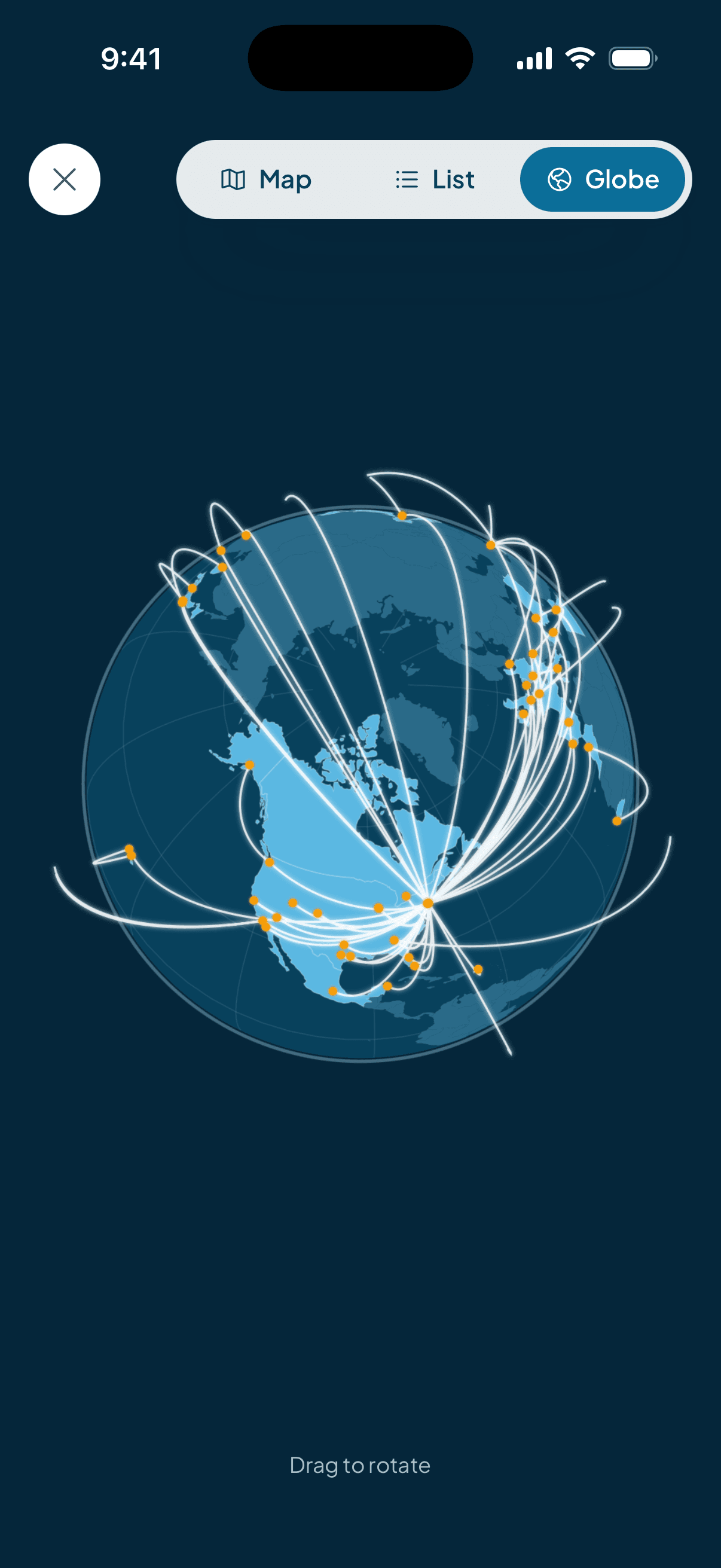
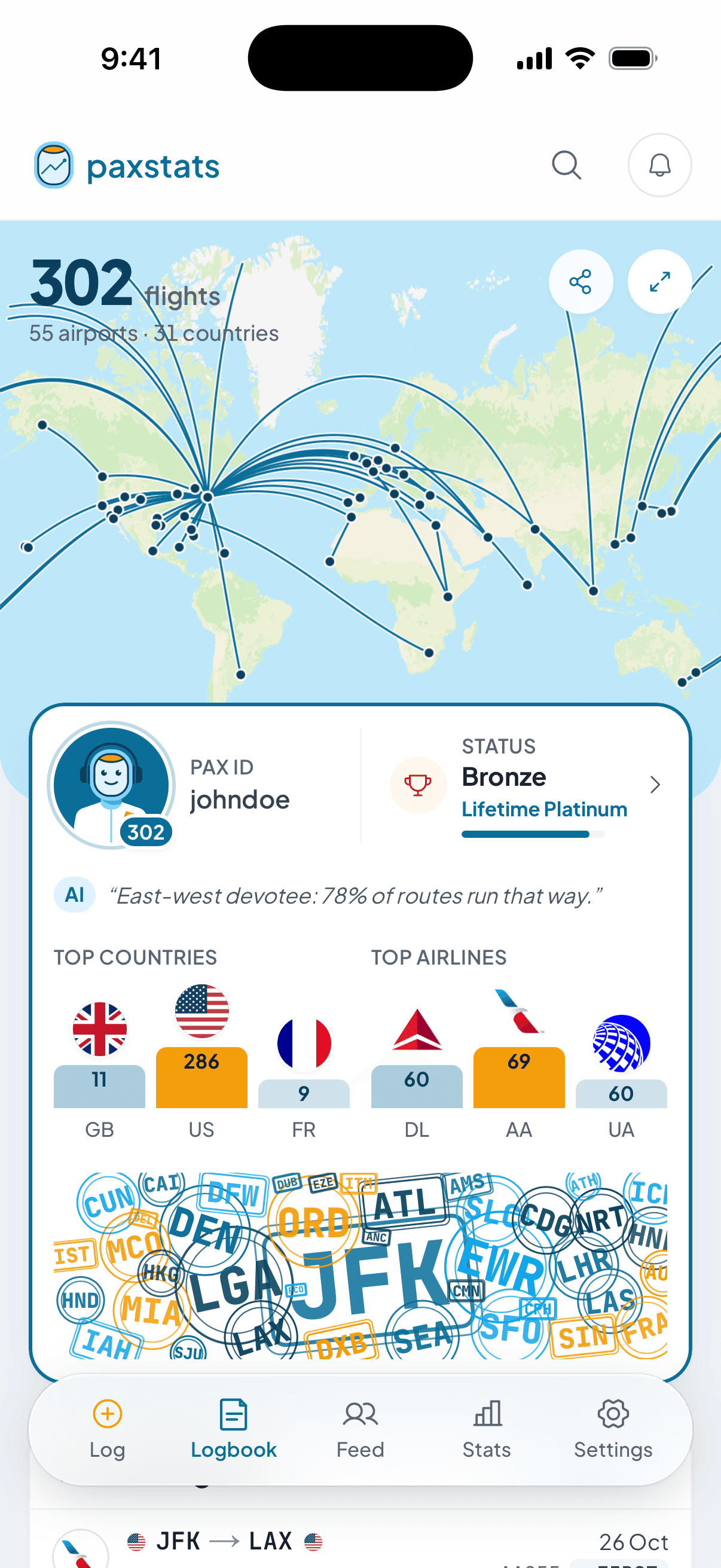
The map. Every route on a world map and a 3D globe you can spin — drawn from the real flown track where there is one.
Ask it anything. “Which airline have I flown most?” in plain English, answered from a real query over your own rows.
Everything one flight can hold
- Route & timing
- Origin, destination, date, local departure and arrival, duration, great-circle distance computed on save.
- Metal
- Airline, aircraft type, manufacturer, and the tail number — which pulls a photo of that exact airframe.
- Seat
- Seat number, cabin class, window/aisle/middle, award-ticket and jump-seat flags.
- Trip
- Purpose (business, leisure, commute, positioning…) and up to five lounges visited that day.
- Photos
- Boarding passes, wing shots, meal trays — stored privately, served through signed links.
- Companions
- Tag a pax buddy from the same flight; they confirm, and it lands in their logbook too.
- Weather that day
- Conditions at both ends on the actual date — archive for old flights, forecast for upcoming ones.
- Upcoming flights
- Log a trip before you take it and it pins above the log with a countdown (T-12d).

Stats
The numbers your logbook already contains
Headline figures
Flights, distance, hours in the air, countries, airports, airlines, aircraft types, longest flight, time zones crossed — for any period you pick.
Four groups of charts
Overview, Airlines & aircraft, Places, Timing — from seat maps to a departures heatmap by day and hour.
Every chart, by group
- Overview
- Flights and distance per year, year over year, flying days, and a pax profile that shapes your flying into one silhouette.
- Airlines & aircraft
- Top airlines, manufacturer split, top aircraft types, most-flown tail numbers, cabin class, and separate widebody and narrowbody seat maps.
- Places
- Top airports, top routes, top countries, region split, haul-length split, and the route map.
- Timing
- Departures by day and hour, flights by weekday, flights by month, seat position, trip purpose.
- Deep insights
- Trends only a multi-year logbook shows: time zones crossed per year, widebody share, premium-cabin share, route variety.
168 achievements, 5 tiers
Recomputed from your logbook, never stale
Count ladders, plus one-offs for how you fly: polar routes, island nations, red-eyes, single-airline loyalty. Badges are worth points by tier, and points carry you from Bronze Aviator to Legend IV.
Sharing
Made to show someone
Share cards. Any flight becomes a card — five styles, photo or map background. Your whole logbook and each Wrapped year get one too.
Your own URL. paxstats.app/yourhandle, with a generated preview image when the link is shared.
You choose what shows. Public, signed-in pax only, or buddies only — with separate switches for your flight list, photos and avatar.

And the rest
What else is in there
A feed, not a dashboard. A globe of where everyone has just been, then real flights other pax logged — with reactions and comments.
Pax buddies & compare. One symmetrical connection, and a head-to-head of two logbooks over any period.
Notifications your way. In-app, push, or email per trigger — including a nudge when a logging streak is about to lapse.
Directories. Every airport, airline, country, aircraft type and tail number you've flown gets a page. Lounges too.
Your data leaves with you. One CSV with every column you could have entered. Delete the account from Settings, without emailing anyone.
Web, iOS, offline. Installable in any browser, a native iOS build, and the last logbook you loaded renders with no connection.
Privacy, in specifics
- Three visibility tiers
- Public (anyone, signed out included), private (any signed-in pax), or completely private (you and accepted buddies).
- Row-level security
- Your flights are readable only by you and whoever your settings allow — enforced by the database, not by a check in the app.
- Photos
- Stored privately and served through short-lived signed links, whatever your profile shows.
- Blocking
- Block a pax and they're gone from your feed, your profile and your notifications.
- Export & delete
- A complete CSV any time, in the same shape the importer accepts. Account deletion is self-serve.
- Written out in full
- The Security & Trust page explains how it's held, alongside Privacy and Terms.
Signing in
- Four ways
- Apple, Google, email and password, or a magic link if you'd rather not keep one.
- Invite-only, for now
- While the beta runs, every account can generate invite links for the people it wants in.
Easier to see than to read about
johndoe's logbook is public, fully populated and read-only — 299 flights, every tab live. Nothing you tap changes a thing.